

Tutorial 5: Working with Data Files
This tutorial demonstrates how to work with data files in your course using the {nma-data} directive.
Declaring Data Files
The {nma-data} directive tells the course kit which files your tutorial needs:
Data used by this notebook
This declaration:
In the browser: embeds files ≤2MB into the page (they load instantly from memory)
In notebooks: generates a hidden download cell that fetches them from GitHub
Files must live in data/ or image/ inside your day’s folder.
Using Images
Images work the same way as data files - declare them in {nma-data} and reference them in your content:
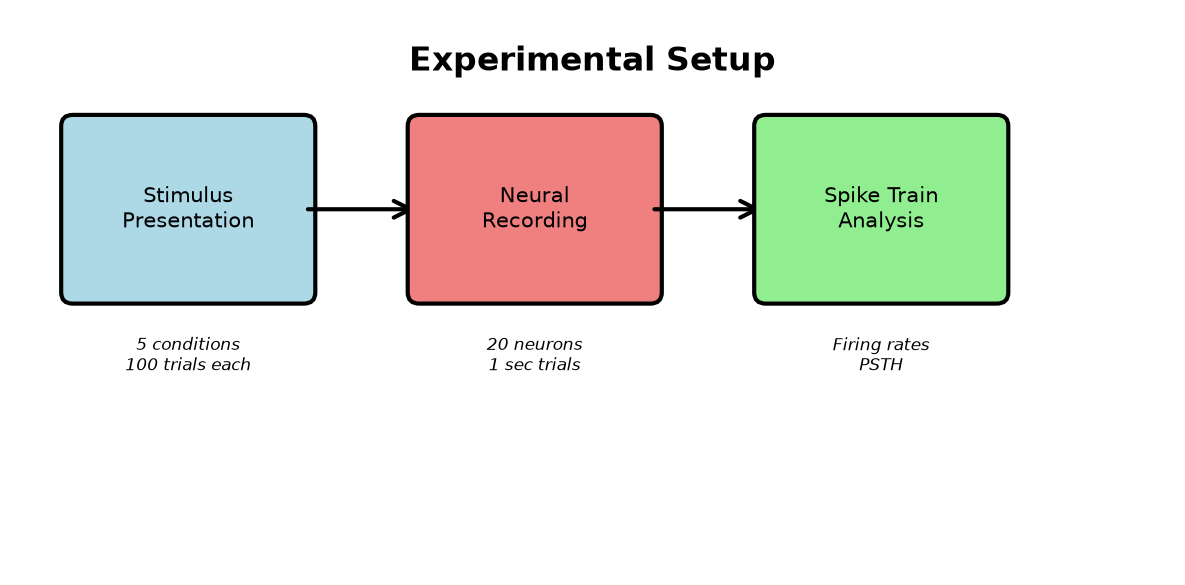
Figure 1:Our experimental pipeline: stimulus presentation, neural recording, and spike train analysis.
In the browser, the image loads instantly from the embedded data. In generated notebooks, the download cell fetches it from GitHub.
Loading Data
Load the data the same way in both environments - normal NumPy works:
Visualizing Spike Trains
Let’s create a raster plot showing spike times for the first neuron across all trials:
Computing Firing Rates
Calculate mean firing rate by condition:
Interactive Exploration
Use a widget to explore different neurons and conditions:
Summary
When adding data and images to your tutorials:
Create
data/and/orimage/folders in your day’s directoryKeep files small (<2MB total) so they embed in browser pages
Declare all files with
{nma-data}at the top of the tutorialReference normally - images with
{figure}, data withnp.load()or similarValidate with
nma-kit checkbefore committing
The kit automatically:
Embeds small files for instant browser loading
Generates download cells for Colab/Kaggle notebooks
Validates that your code references only declared files
Note: This tutorial includes generation scripts (generate_data.py, generate_schematic.py) for reproducibility, but you don’t need to commit generation scripts in your own courses - just commit the files themselves.